
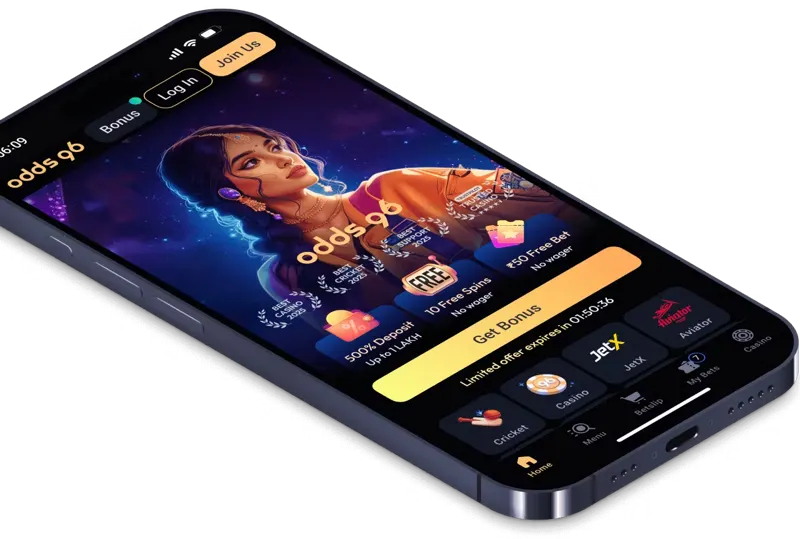
Android APK versus a mobile website
An Android APK is an installable application package. A mobile website opens in your browser and does not need that package. They can present similar navigation, but they are different delivery methods. A saved website shortcut is another option; it is not proof that a native application has been installed.
ODDS96’s app page promotes an Android download from its website and says older Android versions can have difficulties, especially below Android 9. Device compatibility also depends on the actual build, browser components and available storage. Do not treat a marketing file size as a permanent specification.
An iPhone cannot open an APK. iOS users need an appropriate browser route where access is permitted. We do not provide a fabricated App Store listing, a renamed APK for iPhone or a download button pointing to an unrelated application.
| Route | Device | What to establish |
|---|---|---|
| Android APK | Android | Publisher, source, version, signature and permissions |
| Mobile browser | Android / iPhone | Authenticated domain and current browser |
| Home-screen shortcut | Supported browsers | A link to the web page, not proof of a native install |
| Embedded free demo | Mobile / desktop browser | Virtual credits; no app installation required |
| Unverified predictor APK | Do not install | Not needed to play or understand a demo |
Odds96 download APK latest version: what to check
A search for “Odds96 APK latest version” can return old packages, copied pages and third-party stores. The file name alone cannot tell you who built it. Use the verified publisher route and read the version, developer identity, requested permissions and signing information before installation.
This site does not host an APK. Its commercial buttons use the configured /go/ path and do not claim to be a direct package download. No file is labelled as the latest version unless its build can be established. A number copied from an old article would give you false certainty.
If Android warns that an update has a different signature, stop and investigate the source. Do not uninstall a trusted application solely to bypass a mismatch. Keep account recovery details available before changing a device or reinstalling software.
Permissions and mobile security
A gaming app should not need your UPI PIN, banking password or remote-control permission to show games. Treat requests for accessibility services, device administration or SMS access as significant decisions. A person in a chat cannot authenticate such a request merely by displaying the ODDS96 logo.
Use a screen lock and a unique account password. Shared phones can expose saved sessions to other people. If an app remembers your login, that convenience also means a person holding an unlocked phone may reach account information. Sign out before handing over the device.
Do not install an “Aviator predictor APK” or a “Mines signal” tool. These are not a necessary part of the ODDS96 app. The Aviator and Mines pages explain why history and visual patterns cannot reveal an unreleased random result.
Odds96 login mobile and account continuity
Use the same original account and sign-in method on mobile and desktop. If you registered through a social identity, an unrelated email-password combination may not reach the same profile. See login and password recovery before creating another account.
Keep profile information consistent. A currency, name or contact change can affect verification. A new device does not remove an existing KYC requirement or an account restriction. If a session fails, record the displayed error and try the recovery route rather than repeatedly submitting credentials.
For a page that loads slowly, close unused tabs, update the browser and check your connection. Avoid clearing all stored data until you know how you will recover the account. A session problem is different from a national access restriction; a new APK does not make prohibited activity lawful.
An update should keep a consistent publisher identity
A new build can change its version number, file size and compatibility requirements. Its source and signing identity still need to make sense. A third-party file advertised as a faster or unlocked edition is not authenticated by borrowing the ODDS96 name.
Before an update, know how you will recover the original account if the session is cleared. Keep the linked email accessible and avoid relying only on a saved password inside the app. An update may remove local preferences or require a fresh sign-in; it should not require you to disclose an OTP to an installer.
If a purported update asks you to transfer money, scan a payment QR or allow remote device control, stop. Those actions are separate from installing a package. Free demo play on this website needs none of them. A browser route also avoids confusing a page shortcut with a verified native build, although it still requires you to check the complete domain before handling account records.
Play free in the browser; keep India status clear
You can open our Chicken Road demo, Aviator page and Mines demo without downloading betting software. They use virtual credits and do not offer a cash prize. Load a demo only when you want to use it, and reset the session if the provider ends it.
India’s national framework prohibits online money games and their payment facilitation. An app install, an INR balance or an overseas licence is not an exemption. Read the legal page before any real-money action.
If you already have an unresolved balance, the practical priority is preserving records and recovering authorised account access. Use support and the withdrawal guide to describe the issue; do not pay an installer or an agent to unlock funds.
- Confirm the publisher and exact domain before considering a package.
- Read version, signature and permissions; stop at an unexplained mismatch.
- Use the browser for free demos; no APK is needed.
- Keep India eligibility separate from the availability of an install button.